Turn tab overload into a clear workspace.
Organize open tabs into visual Kanban boards with unlimited workspaces, flexible rows, and tab groups—so every project stays easy to scan.
A workspace that fits the way you work
Create unlimited workspaces, drag and drop tabs between columns, show or hide rows, and keep your data in local storage only. KanbanTabs does not read your browsing data.
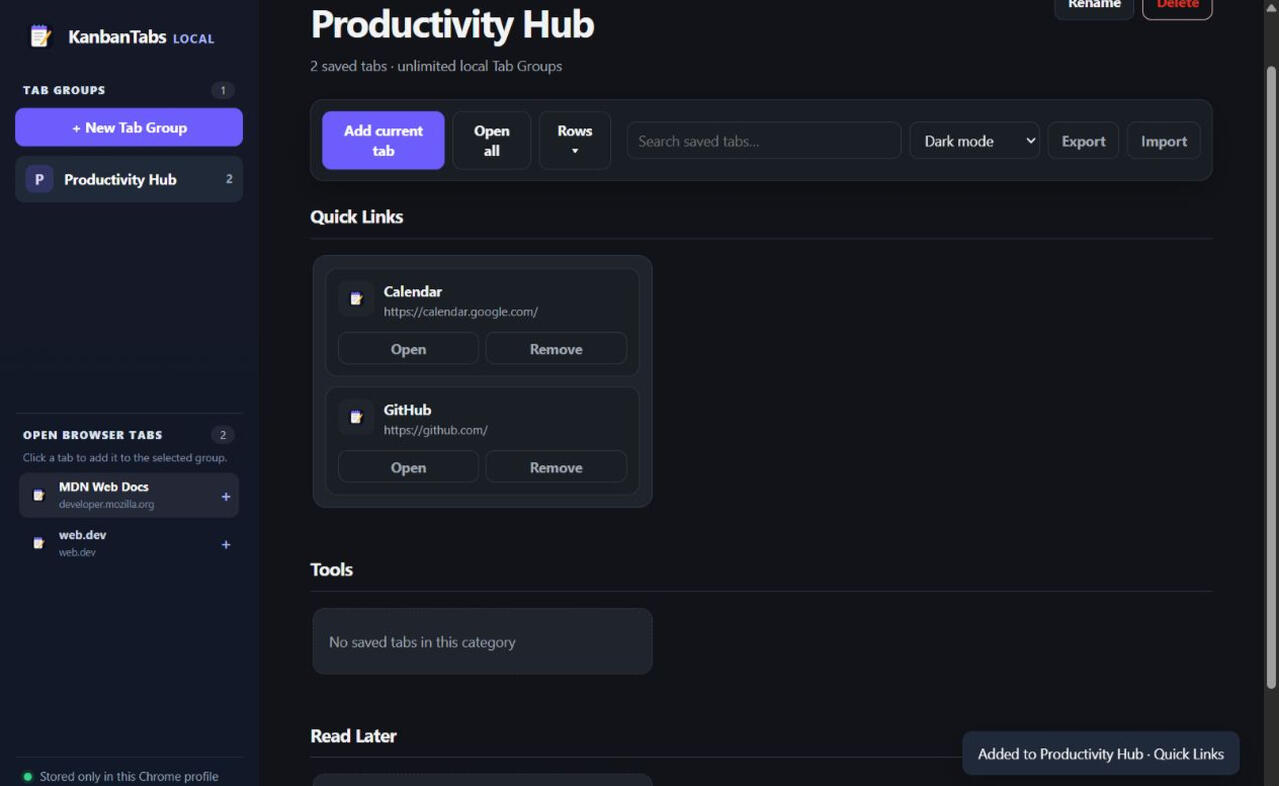
How KanbanTabs works
1. Install the extension
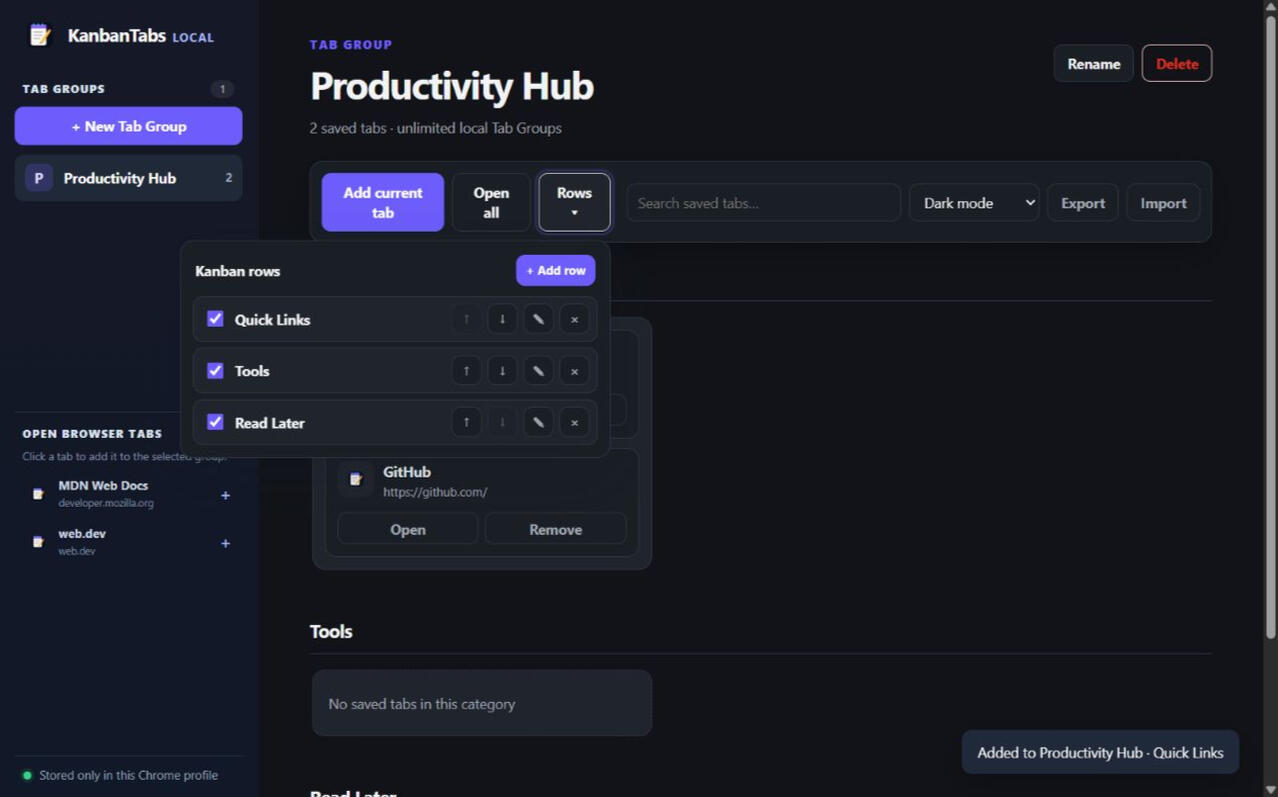
2. Organize unlimited workspaces with groups and customizable rows
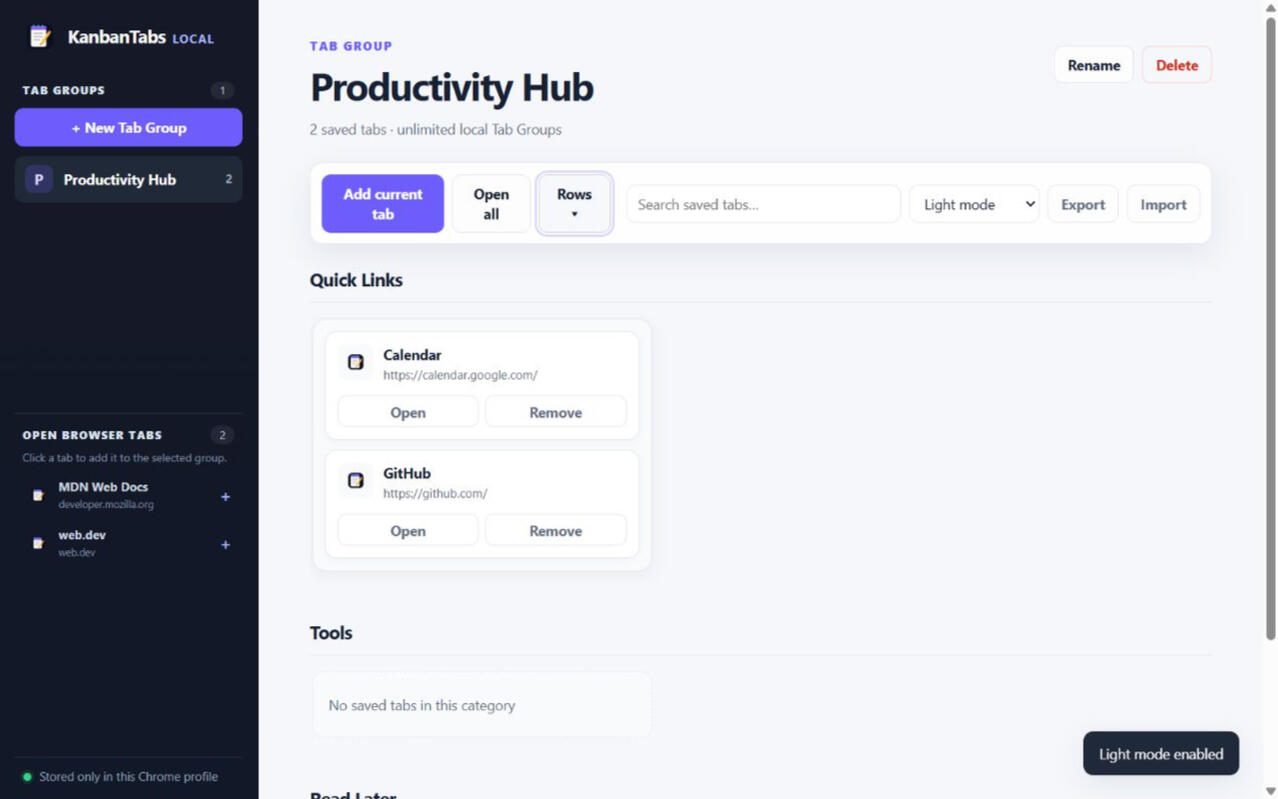
3. Drag tabs between columns, switch light and dark mode, and choose from multiple themes
One simple purchase
KanbanTabs is a paid product: USD 7.99 one time. Buy once and own it forever. Payments and customer information are secured through Dodo Payments. A license key is emailed for activation in the extension.
Frequently asked questions
Chrome compatibility: KanbanTabs is designed for Chrome. Workspace data: workspaces are stored locally only, and KanbanTabs does not read your browsing data. Features include unlimited workspaces, drag and drop between columns, show/hide rows, light and dark mode, multiple themes, and export/import. Pricing: USD 7.99 one time—buy once and own it forever. Payments and customer information are secured through Dodo Payments. Activation: use the emailed license key in the extension. Moving a license: deactivate the old installation and activate the new one; occasional online verification is required.
A calmer way to finish the day
Own your workspace for a one-time USD 7.99 payment. Keep the next task visible, move tabs where they belong, and export or import your data whenever you need to.
© KanbanTabs. [PRIVACYPOLICYURL] · [TERMSURL] · [email protected]
Thank you
Neque venenatis id vitae et purus eu elit diam sem primis pharetra metus hendrerit vel malesuada sollicitudin lacinia erat quisque egestas.
KanbanTabs
Product view: light and dark modes with rows, themes, export, and import controls.